


Dunkin’
4.686.93K Reviews
App Specs
- Version
- 11.23.1.385
- Updated On
- License
- Free
- Downloads
- 10,000,000+
- Developer
- Dunkin' Brands, Inc.
- Categories
- Food & Drink
- Platform
- Android, iOS
Screenshots
 Analysis by AppCompare
I find Dunkin’ most useful when a quick coffee stop is part of a shared routine: one person can place an order while another is getting ready, commuting, or already near the shop. That convenience is real, but it works best when everyone agrees on what is being ordered and who is handling the account. This is a food-and-drink app from Dunkin’ Brands, Inc., built around ordering ahead and rewards rather than serving as a general café directory or meal-planning tool.
For a household that visits Dunkin’ often, it can make a familiar errand feel more organized. A parent heading out can place an order for themselves and another adult, or a commuter can pick up a drink for a colleague without trying to coordinate a long conversation in a noisy morning rush. I would treat it as a convenient ordering channel, not as a shared family wallet: decide in advance who is signed in, who is paying, and whether the person collecting the order has the details they need.
One account, several people: agree on the routine
The app’s order-ahead flow is most helpful when one person takes responsibility for the order. If several people use the same phone or account, it is easy to mix up preferences, saved choices, or reward expectations. I’d keep the account holder in charge of placing and checking the order, then confirm the drinks and food with everyone before submitting. That small step matters when a household has different milk, sweetness, or snack preferences.
There is also a practical distinction between sharing a device and sharing an account. A family member borrowing the phone to look at the menu is not the same as having access to the account used for ordering and rewards. I would avoid treating saved payment or account details as a casual household resource, especially when children use the device. The app makes ordering easier, but household boundaries still need to come from the people using it.
The Perks of Going Digital
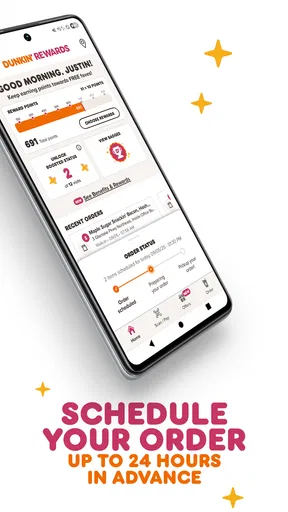
First off, let’s talk about the convenience. Imagine you’re running late for work, but you desperately need your caffeine fix. The app lets you order ahead, so your coffee and favorite donut are ready and waiting. No more long queues or awkward small talk while you’re half asleep. Just grab and go!
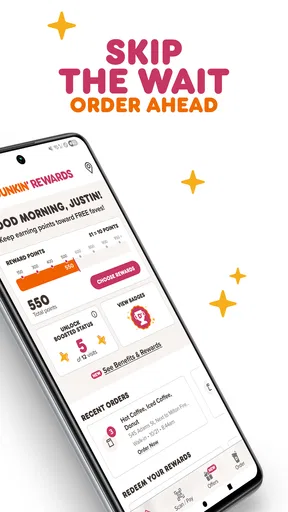
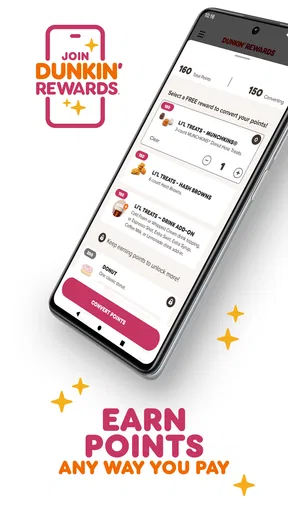
And it’s not just about saving time. The app’s rewards program is a game-changer. Every dollar you spend earns you points, and enough points get you free drinks or snacks. It’s like a loyalty card, but without the risk of losing it at the bottom of your purse or wallet. Plus, the app often has exclusive offers and discounts that you wouldn’t want to miss.
Easy Navigation and User-Friendly Design
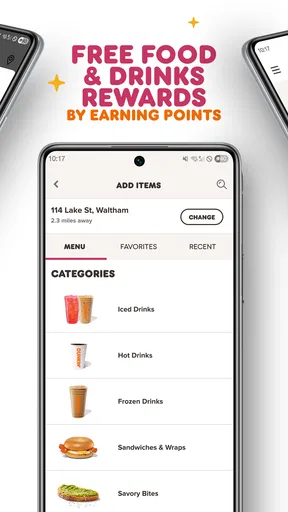
One thing I really appreciated was how easy it is to navigate. The interface is clean and intuitive. You can quickly find your nearest store, check the menu, and customize your order. Whether you’re a regular or a first-timer, the app makes ordering a breeze.
Worth Reading Before You Choose

Flipboard Shows What News Apps Must Do Beyond the Feed

Switching to Android Auto Means Rethinking Your Driving Routine

Google Calendar Makes a Crowded Week Easier to Manage

Ludo King Makes the Most of the Minutes Between Plans

Baby Panda World Brings Quick Play to Modern Phones, but Its Game Library Feels Busy

ESPN’s Live Game View Makes Following Close Games Easier
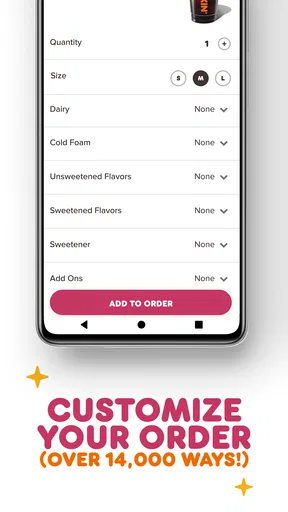
Customization is another area where the app shines. Want extra cream? Less sugar? No problem. The app lets you tailor your drink just the way you like it. It’s like having your personal barista, but on your phone. And for those who, like me, are indecisive at times, the app saves your past orders, making reordering your favorites just a tap away.
Choosing the right moment to order
Ordering ahead is not automatically the fastest choice in every situation. If I’m already standing at the counter, ordering in person may be simpler than switching to the app, selecting a store, and building the same order on a screen. The app is better when I can make the choices before I arrive, especially when I know exactly what I want and the stop is part of a tight schedule.
A useful routine is to check the selected location and review the order before sending it, particularly when picking up for more than one person. Store choice matters: selecting a convenient branch is only helpful if it is the one you can actually reach. I’d also avoid placing an order too early when plans may change. Advance ordering trades some flexibility for convenience, so I use it when my route and timing are reasonably settled.
For example, on a morning when I’m driving a family member to an appointment, I could settle the drink choices while we are still at home, then collect the order on the way. That saves the group from deciding at the counter, but it only works if someone has confirmed everyone’s order and the pickup location. If the group is still changing its mind, ordering together in person is the less stressful option.
Rewards are useful, but they are not the whole reason to go
I see the rewards as a welcome extra rather than a reason to buy something I did not want. Points and offers can make frequent visits feel more worthwhile, but the value depends on how often Dunkin’ fits your routine and whether the available choices suit you. A household that visits only occasionally may find a physical or digital loyalty option at another café more relevant simply because it uses that café more often.
Before counting on a deal, I would read its terms in the app and check that it applies to the order I am about to place. An offer is only useful if it matches the selected products and the visit you already planned. That is a better way to use promotions than letting a notification turn a quick coffee stop into an unnecessary purchase. Rewards can support a habit; they do not make every visit a bargain.
The app’s remembered orders can also help a shared routine, but I would use them as a starting point rather than assume they still fit. A usual drink may be right for one person and wrong for another, and preferences can change. For a group pickup, checking each item from scratch may take a little longer, yet it reduces the chance of carrying someone else’s usual order by mistake.
How it compares with ordering at the counter or elsewhere
Compared with placing an order face to face, the main advantage here is being able to make choices before reaching the counter and connect the visit with Dunkin’ rewards. The counter is still preferable when I have a question, want to change my mind after seeing the menu, or need a conversation to sort out an unfamiliar order. The app is strongest for repeat purchases, while an in-person order gives more room for spontaneous decisions.
Compared with a general food-ordering service, a brand-specific app is a more focused fit for someone who already wants Dunkin’. It can bring the menu, customization, ordering, and loyalty activity together for that visit. A broader service may make more sense when I’m choosing between several restaurants or arranging a larger meal, but it is less directly suited to a quick Dunkin’ drink run. I would not install this app expecting it to replace a household’s wider food-ordering options.
That focus is also the main trade-off. If you rarely visit Dunkin’, a separate app may add little to your day, and ordering at the counter is perfectly reasonable. If your favorite café is somewhere else, its own ordering and rewards system will likely be more useful. I recommend this one most readily to regular Dunkin’ customers who want a smoother repeat order, not to everyone who occasionally buys coffee.
Age, trust, and keeping the purchase in context
The app is rated for Everyone, so it is suitable for a broad audience in the age-rating sense. That should not be confused with a built-in family purchasing arrangement. I would not assume that a younger user has a separate spending limit or account boundary inside the app. For children using a shared device, an adult should decide whether they can browse, place orders, or use the account at all.
That approach is less about making the app complicated and more about keeping a small purchase predictable. Before a child taps through an order, agree on what may be selected and who approves payment. Adults can also avoid confusion by keeping their own ordering credentials private and checking the basket before confirming. These are sensible household habits for any ordering app, and they matter here because the convenience of a quick repeat order can make a purchase feel almost effortless.
On the practical side, the app is free to download, has an Everyone age rating, and is currently at version 11.19.0.378, with Android 11 as the minimum operating system. It has a 4.6 average from around 587,000 ratings and more than 10 million installs. Those figures suggest that it is a well-established option among customers, though popularity cannot guarantee that every nearby store or every order will suit an individual user.
When I would skip it
I would skip the app if I do not visit Dunkin’ often, prefer deciding at the counter, or want one tool for comparing many places to eat. It also may not help much when a group has unresolved preferences or a pickup plan that could change. In those cases, the supposed time saving can disappear into checking details and coordinating people, while a quick conversation at the shop is easier.
It is not a substitute for checking an order carefully. Customization is handy, but it makes it important to review the selected drink and any changes before submitting, especially when ordering for another person. I would not rely on memory alone for a group order or assume that a familiar saved choice is still correct. A little care at the review stage is the price of making a screen-based order feel dependable.
A good fit for a familiar household stop
For a household with a regular Dunkin’ run, I think the app earns its place through a simple combination: plan a repeat order, make personal drink choices, and keep reward activity tied to visits. One person can coordinate the pickup while others share their preferences, without turning every coffee run into a long counter conversation. The strongest results come from having one clear orderer and checking the location and basket before leaving.
If your household values flexibility more than speed, or everyone wants to choose in person, there is no need to force the app into the routine. If you make frequent, predictable visits, though, it can reduce small points of friction and make the stop easier to fit around work, school, or errands. I’d try it for a few ordinary visits and judge it by whether it genuinely simplifies your own routine, not by how many offers appear on screen.
Stay Updated and In the Loop
One of the app’s nifty features is keeping you updated with the latest Dunkin’ news. From seasonal menu items to new store openings, you’re always in the know. The app sends notifications, so you won’t miss out on any limited-time offers or new flavor releases.
And let’s be honest, who doesn’t love a good surprise? The app occasionally pops up with random offers like bonus points days or surprise discounts, which is always a nice touch. It keeps the experience fresh and exciting.
Overall, the Dunkin’ app really enhances the whole coffee and donut experience. It’s convenient, rewarding, and keeps you connected to all things Dunkin’. If you’re a fan, it’s definitely worth downloading. And if you haven’t tried it yet, well, what are you waiting for? Go ahead and give it a spin. Your morning routine might just thank you!
Pros
- User-friendly interface enhances navigation.
- Variety of coffee and food options available.
- Exclusive app-only deals and discounts.
- Order customization is quick and easy.
- Loyalty program rewards frequent users.
Cons
- Limited delivery options in some areas.
- Occasional app crashes and glitches.
- Account login issues reported by users.
- Push notifications can be excessive.
- Some menu items unavailable on app.
FAQs for Dunkin’
What features does the Dunkin’ app offer?
The Dunkin’ app provides a range of features including mobile ordering, exclusive offers, a rewards program, and a store locator. Users can customize their orders, pay via the app, and earn points for every purchase which can be redeemed for free drinks or food. It also offers contactless payment options for added convenience.
Is the Dunkin’ app free to download and use?
Yes, the Dunkin’ app is free to download and use. There are no costs associated with downloading or using the app's basic features. However, you will need to load funds into your account or link a payment method to make purchases through the app.
How does the Dunkin’ Rewards program work?
The Dunkin’ Rewards program allows users to earn points for every dollar spent on eligible purchases. For every 200 points earned, you receive a free beverage reward. Points can be accumulated by scanning your app at checkout or by placing orders directly through the app. The more you use the app, the more rewards you can earn.
Can I customize my orders through the Dunkin’ app?
Yes, the Dunkin’ app allows you to fully customize your orders. You can choose from a wide variety of options for your coffee, donuts, and other menu items, including size, flavor shots, cream, sugar, and more. This ensures that every order matches your personal taste and preferences.
What should I do if my Dunkin’ app is not working?
If you're experiencing issues with the Dunkin’ app, try restarting your device and checking your internet connection. Ensure the app is updated to the latest version. If problems persist, contact Dunkin’ customer support through the app or their website for further assistance. They can help resolve technical issues or account concerns.


